


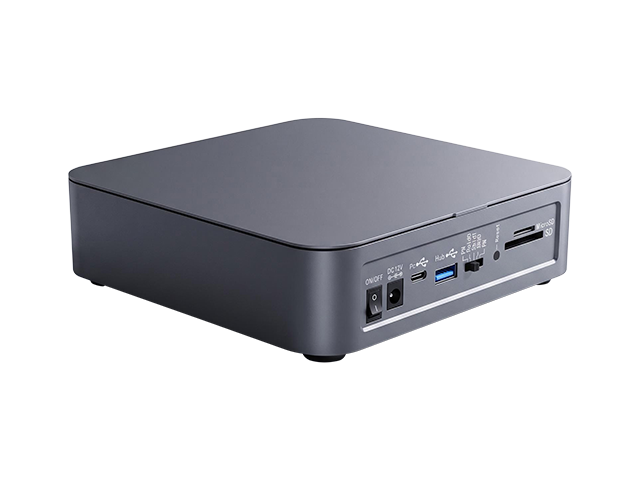
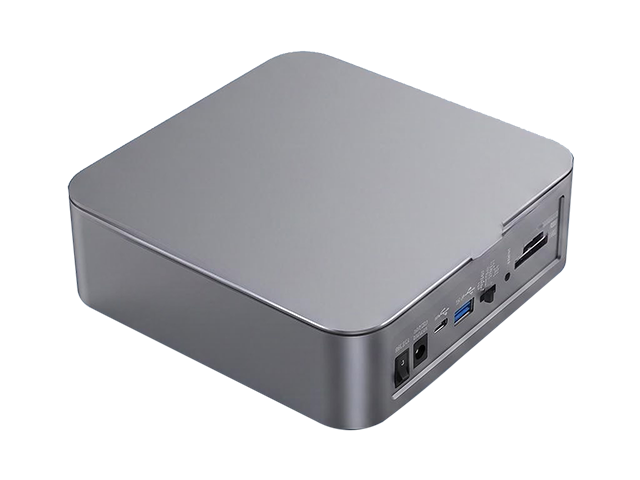
This is a desktop multi-bay hybrid dock that fits two 2.5-inch SATA bays (accepting 15 mm-thick drives, with RAID across the pair), one M.2 NVMe 2280 slot, an SD/microSD card reader and a 10 Gbps USB-A port into a 165 × 165 × 48 mm chassis. The upstream T
ModelDU32S61
Input InterfaceUSB 3.2
Output Interface2.5-inch HDD/SSD + M.2 2280 NVMe + SD/microSD + 10 Gbps USB
Motherboard SlotUSB 3.2
Transmission RateUSB 3.2 Speed
Auxiliary Accessories
Product Size165×165×48mm
Desktop Multi-Bay Hybrid Storage Dock — English Version
This is a desktop multi-bay hybrid dock that fits two 2.5-inch SATA bays (accepting 15 mm drives, with RAID across the pair), one M.2 NVMe 2280 slot, an SD/microSD card reader and a 10 Gbps USB-A port into a 165 × 165 × 48 mm chassis. The upstream Type-C link is rated at up to 20 Gbps. The body is 6063 extruded aluminium, anodized, and fitted with a magnetic top cover; an 80 mm dual-ball-bearing fan provides active cooling, and the unit runs from a 48 W adapter. Windows, Linux and macOS are supported.
1. Positioning and Selling Points
Mixed storage in one box — 2 × 2.5-inch bays, 1 × M.2 NVMe 2280, an SD/microSD card reader and a USB-A expansion port.
RAID for cold data, M.2 for hot data — the manual specifies that the 2.5-inch bays hold cold data under RAID protection, the M.2 slot serves as fast scratch space for hot data, and the SD slot ingests camera footage.
High-speed USB 3.2 — up to 20 Gbps on the upstream Type-C link; the downstream USB-A hub runs at 10 Gbps.
Desktop-oriented design — 165 × 165 × 48 mm, 6063 extruded aluminium anodized body, magnetic top cover, 80 mm dual-ball-bearing fan for active cooling, 48 W adapter.
Plug and play — Windows / Linux / macOS; works with standard PC USB ports.
2. Key Specifications
Controller — multi-chip design
Ports — DC 12 V power input, Type-C upstream, USB-A 10 Gbps hub, RAID setting / Reset, SD/microSD slots
Drive Bays — 2 × 2.5-inch SATA, up to 15 mm thick; the M.2 slot supports NVMe 2280 only
Power — standard 48 W adapter, DC 12 V, 5.5 × 2.5 mm barrel
Environment — 0–30 °C, 20%–80% humidity; the upper temperature limit is unusually narrow
Included Items — dock, 2 × USB cables, user manual, power adapter, M.2 standoff and screw kit
3. RAID and LED Behaviour
RAID applies to the two 2.5-inch bays only; the M.2 drive does not participate in RAID.
RAID setup — once the dock detects both drives at power-on, move the RAID switch to the desired mode and press Reset with a pen tip. Release the button when the new drive appears in the computer's Disk Management, then format the drive before use.
RAID 1 failure — the LED of the affected bay stays red. After powering down and replacing the drive, the red LED remains on until the rebuild finishes; while rebuilding, the green LEDs on both bays breathe.
Activity — on the 2.5-inch bays the green LED blinks during read/write activity. On the M.2 slot the green LED stays on when a drive is connected and blinks during read/write activity.
4. Limitations and Risks
Switching or initialising RAID requires formatting — the manual states the drives must be formatted after setup; back up your data before changing RAID mode.
RAID is limited to the two 2.5-inch bays — the M.2 slot is an independent NVMe slot and cannot join a RAID array.
The USB-A port has limited power — rated for external drives up to 5 V / 1 A, i.e. 5 W. A 2.5-inch mechanical portable drive may not spin up reliably; the port suits flash drives, card readers and other low-power devices.
20 Gbps has prerequisites — the host and cable must both support USB 3.2 Gen 2×2 at 20 Gbps. A standard 10 Gbps or 5 Gbps host will run slower.
The 0–30 °C ambient range is conservative — provide adequate cooling and ventilation in hot environments.
5. Typical Use Cases
Desktop expansion; photo and video ingest and backup; 2.5-inch dual-bay RAID 1 cold backup; high-speed M.2 scratch space; attaching multiple storage devices to a laptop.
Related Downloads
 Downloads
